
Tribute Director
Your service media, ready for the next moment.
Bring music, video, slideshows and lyrics into one running order. Check the next cue privately, then choose when it goes live.
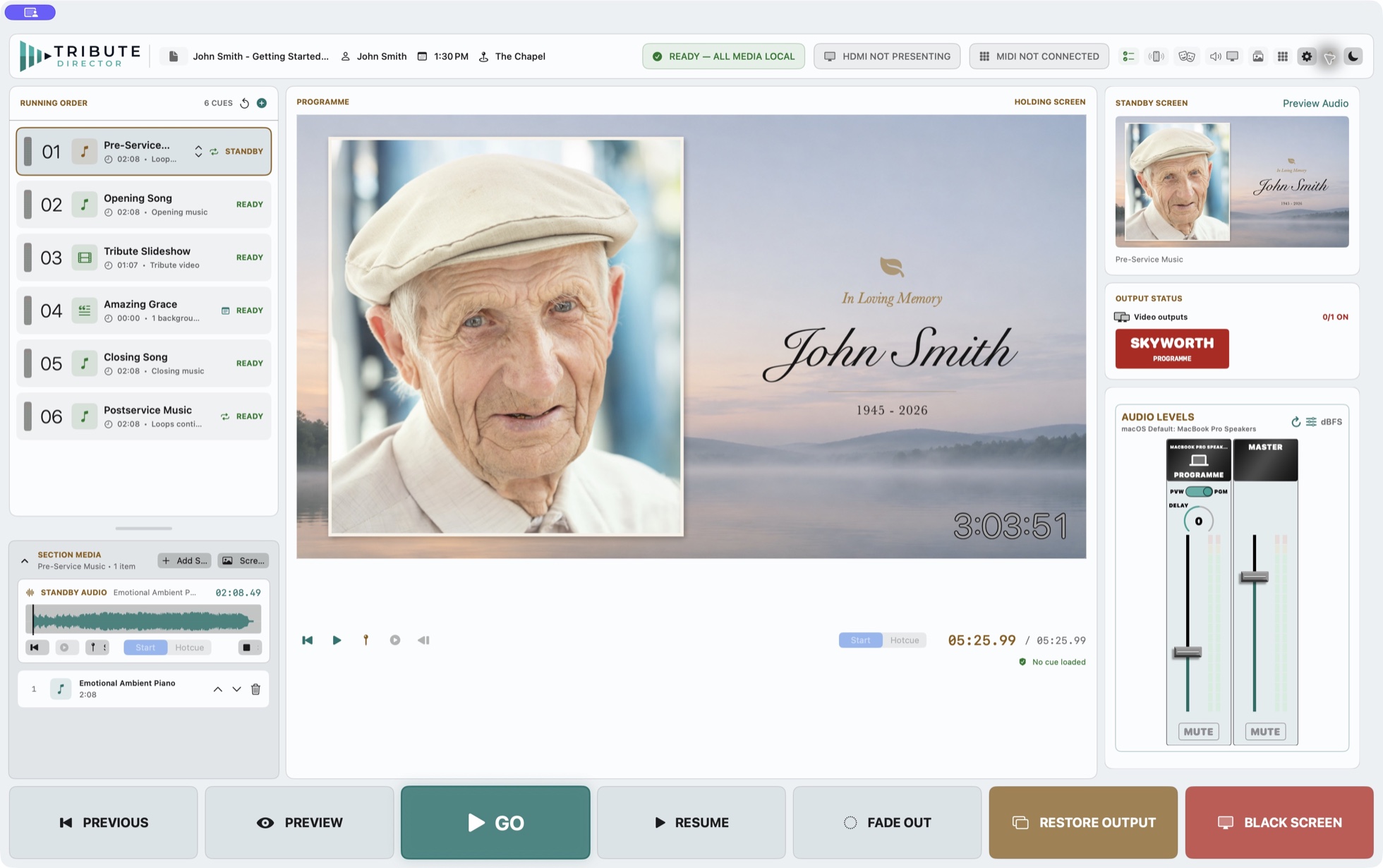
Actual Director workspace · Sample service
Prepare · Preview · Present
One running order. A clearer view of the service.
Prepare the media before the service, see what comes next and control what the congregation sees and hears.
01 · Prepare
Arrange the service.
Bring music, videos, images, slideshows and lyrics together in the order they will be used.
02 · Preview
Check the next cue.
Review the next item privately while Programme shows what is currently going to the public display.
03 · Present
Follow the moment.
Use GO to bring the prepared item live when the room is ready.
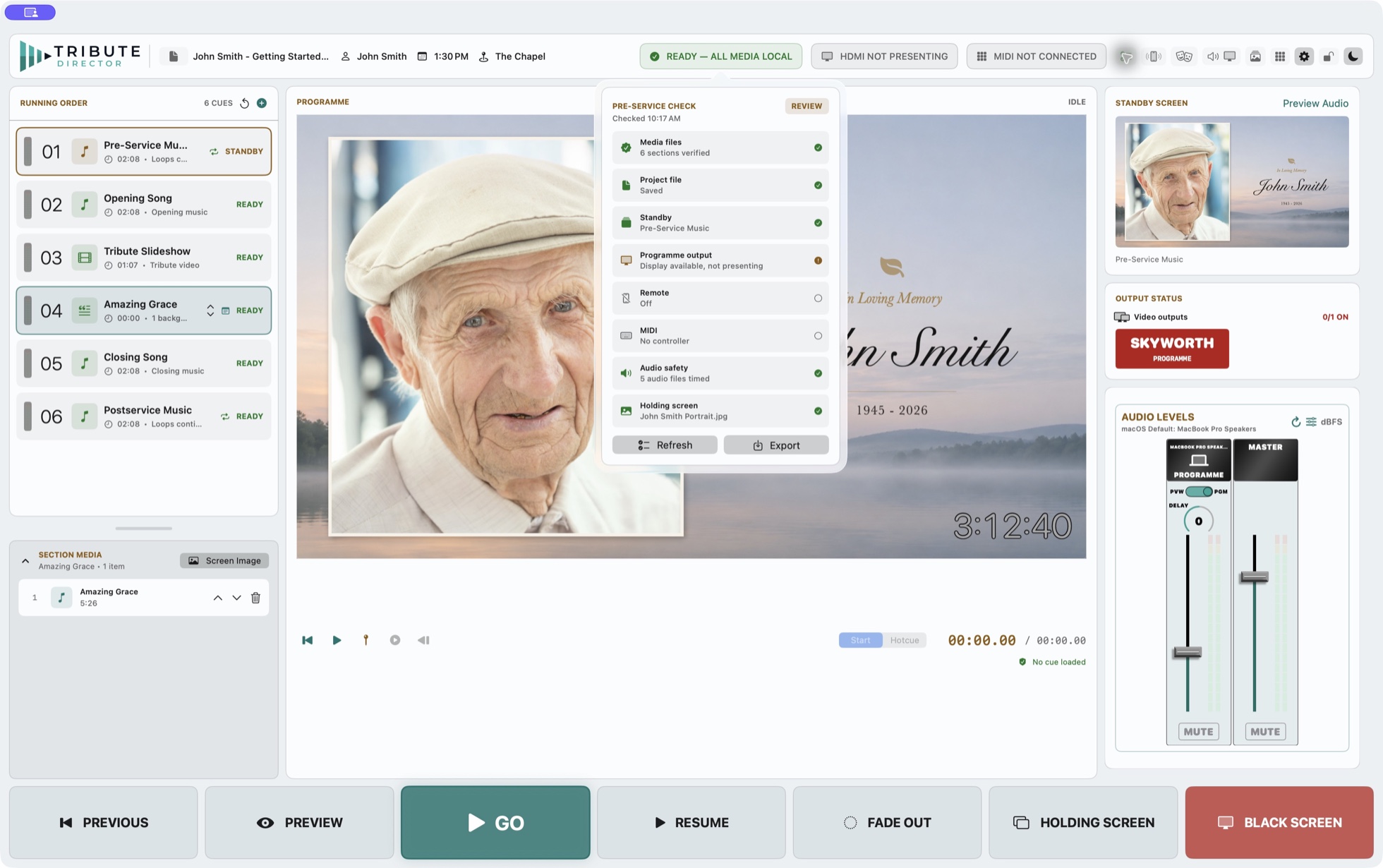


Pre-service checklist · Sample service
Before the service
Check the service before doors open.
Review media readiness and rehearse the sequence before the service. Verify the screens, audio and controls you plan to use in the room.
Present with intention
Cue the next moment.
Start the prepared item with GO. Pause or resume playback, fade audio, or move to a holding or black screen as the service requires.
Your private preview
Keep the next item in view.
The operator and congregation have different views. Check what follows in private while Programme continues to show the current item on the public display.
Fit the room
Set up for your space.
Assign Programme and Confidence displays and configure the required audio outputs. Independent volume, mute and delay controls support different room and monitoring arrangements.
Tribute Remote
Control the service from your phone.
Use Tribute Remote from an authorised phone or tablet on the same local network. Follow the running order and access playback controls through the browser.
Making the tribute as well?
Create the tribute. Present the service.
Tribute Creator adds a dedicated slideshow creation workflow. If you prepare tributes and run service media, compare the combined Tribute Suite options.
Your next sample service
Try it with a sample service.
Build a sample service, check the outputs and see how Tribute Director fits your way of working.